
Install the Magento 2 plugin for OnlinePay
Overview
This section explains how to integrate OnlinePay with your Magento 2 store using the Verifone Hosted Cart plugin. The plugin integrates with the OnlinePay Hosted Checkout to provide a seamless payment experience for your customers.
The OnlinePay Magneto 2 plugin is provided via our payment partner, Verifone and is called the Verifone Magento 2
Prerequisites
Download the plugin ZIP file from the link below:
-
Extract the ZIP file to your
magento2/app/codedirectory. If thecodedirectory does not exist, create it. -
Run the following commands from your project directory to install the module:
bin/magento setup:upgrade bin/magento setup:di:compile -
Log in to your Magento 2 admin panel and navigate to System > Cache Management.
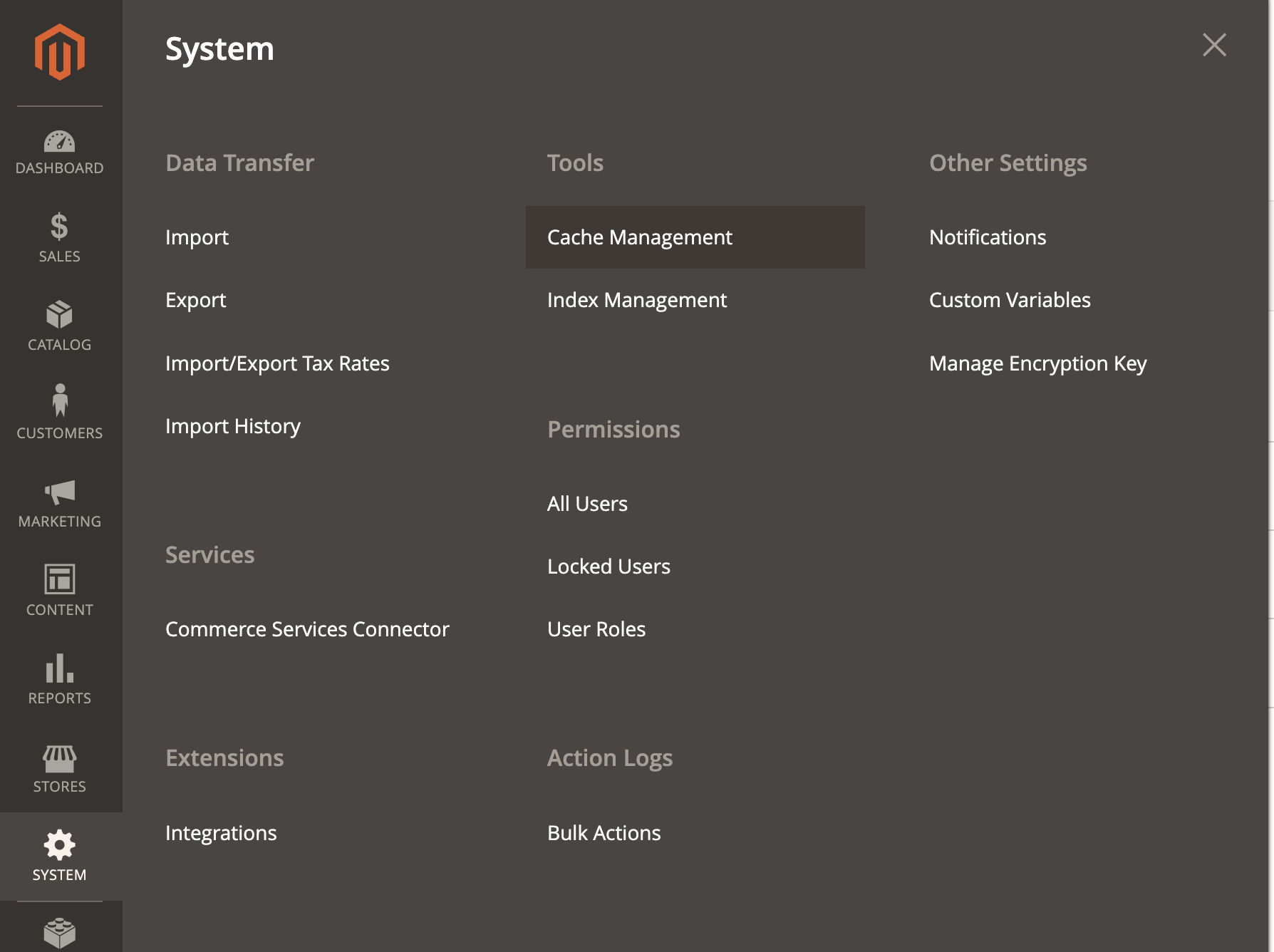
-
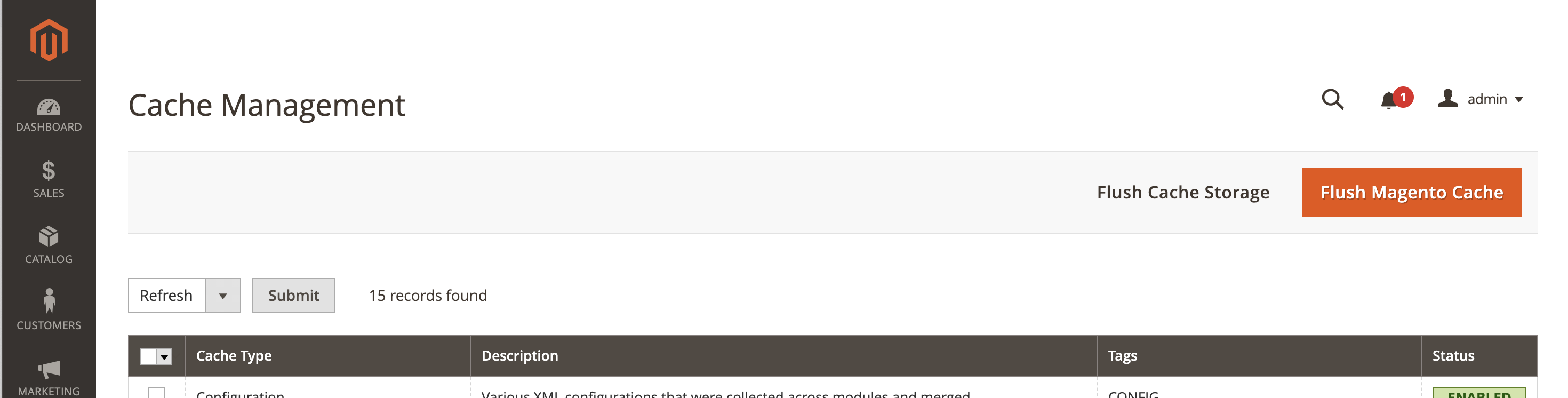
Click Flush Magento Cache to clear the cache and apply the changes.
-
Navigate back to System, then select Tools > Index Management.
-
On the Index Management page, select all indexes and
Update on Save, then click Submit to re-index the data.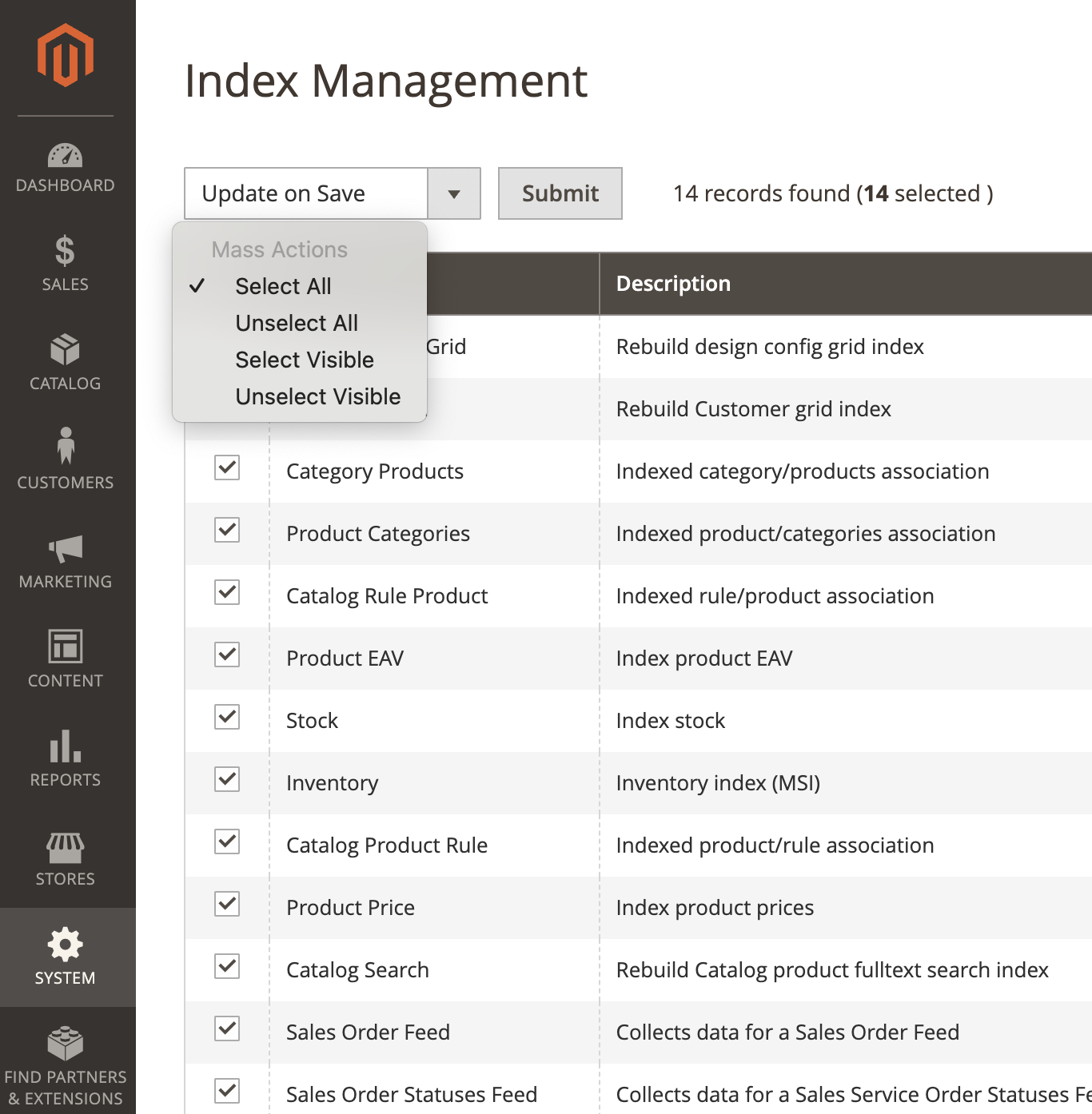
Updated 3 months ago