

Terminal Transaction Report
Overview
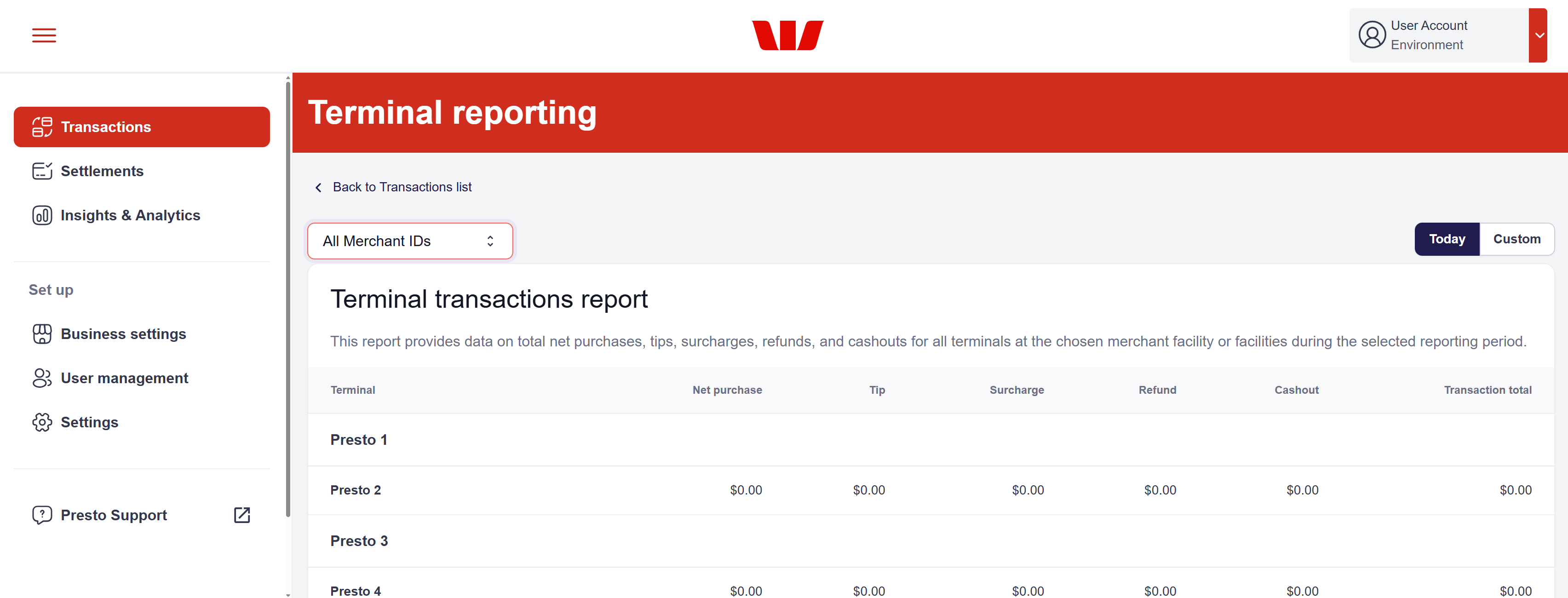
The Terminal Transaction Report provides a consolidated overview of financial activity across all payment terminals associated with your merchant facility. It aggregates data for net purchases, tips, surcharges, refunds, and cashouts, which can assist in reconciling daily sales, monitoring terminal performance, and identifying discrepancies.
How to Access the Report
To access the Terminal Transaction Report:
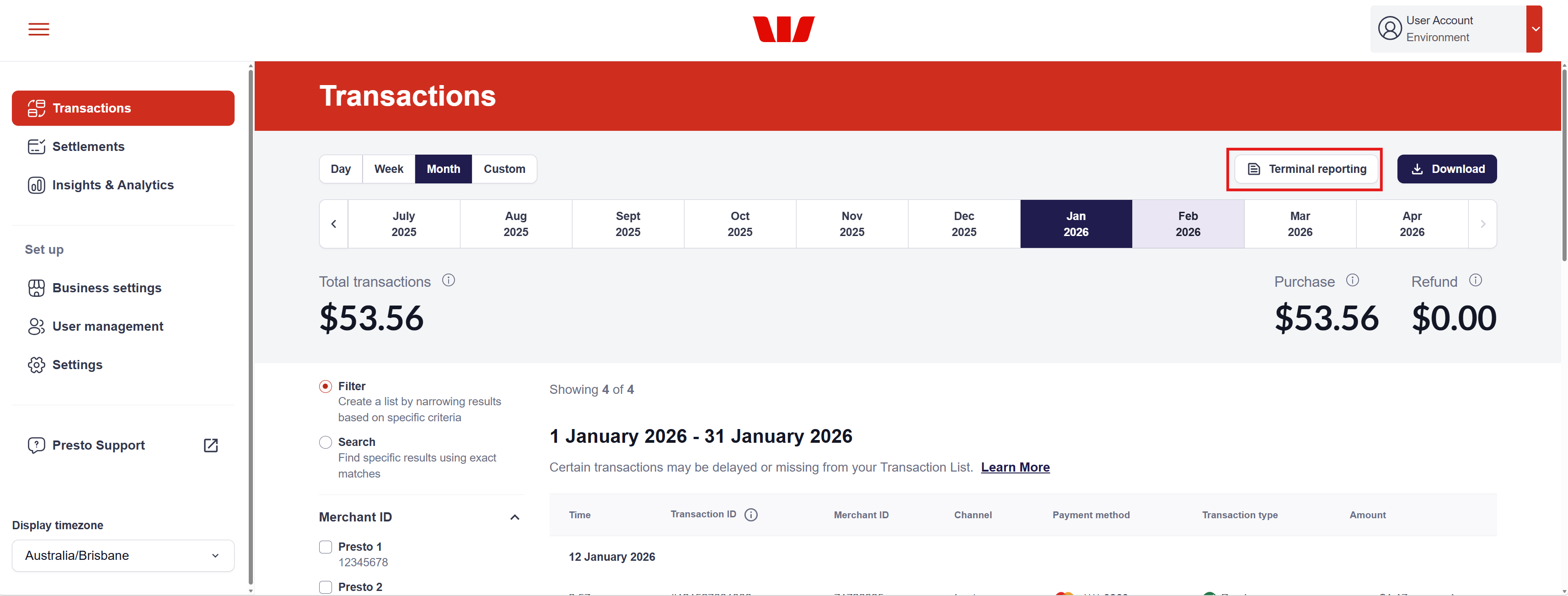
- Navigate to the Transactions page from the vertical navigation menu on the left.
- Click the Terminal reporting button in top right corner of the page.
- By default, the report will display data for All Merchant IDs for Today.
Filtering and Customisation
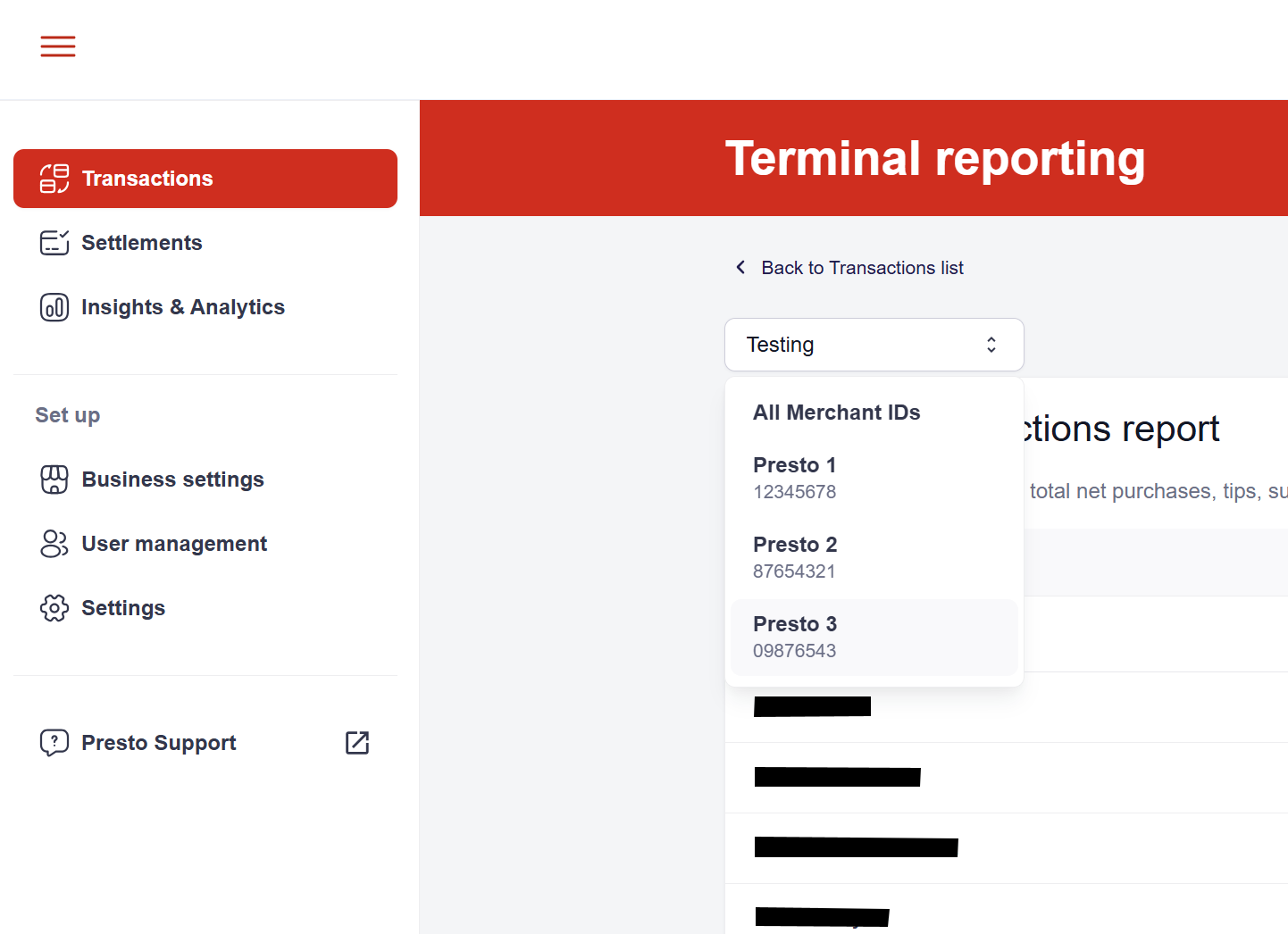
To refine your view, use the filters at the top of the report to select specific merchant facilities or custom date ranges.
- The merchant facility filter allows you to view data for a specific location or merchant ID/facility.
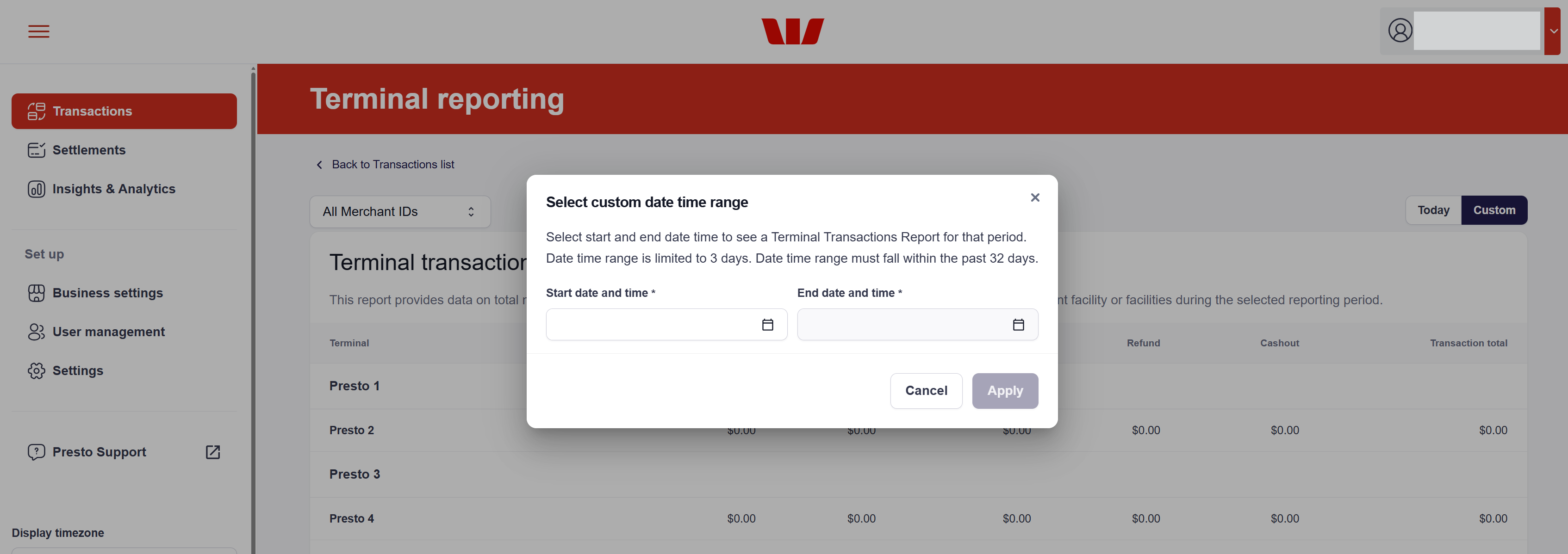
- Date Range: Select a custom start and end date to review performance over a specific week, month, or billing cycle.
- The Custom filter allows you to select a specific date or date range to view in the Terminal Transaction Report.
The date and time range is limited to a maximum of three days. The range must be within the last 32 days.
- To apply the Custom date time range filter, click Apply. The report will refresh to show data for the selected date range.
Understanding the Data
The report generates an aggregated view of totals, sorted by individual merchant facilities. Within each facility, you can view specific metrics for every active terminal:
- Terminal: The unique identifier/name of the hardware grouped by merchant ID/merchant facility.
- Net Purchase: Total sales minus any refunds.
- Tip: Total gratuities collected through the terminal.
- Surcharge: Surcharge value applied to transactions.
- Refund: Total value of refunded transactions.
- Cashout: Total amount of cashout transactions processed (if applicable).
- Transaction Total: The final sum of all activity for that terminal.
This report is generated directly from your Transaction > Listing data. If a transaction appears in your main list, it is included in these totals.
Updated about 2 months ago